
The duplicate detector is a check that shows similar existing elements while you create a new one. It helps you keep one element per topic instead of several that compete.
How it works
When you enter a title in the create dialog, ITONICS compares it with the titles of the existing elements of the same element type. While it searches, the dialog shows that it's checking for similarities.
- If it finds matches, the dialog says that similarities were found and lists the similar elements. The words your title shares with each match are in bold.
- If it finds none, the dialog says that no similarities were found.
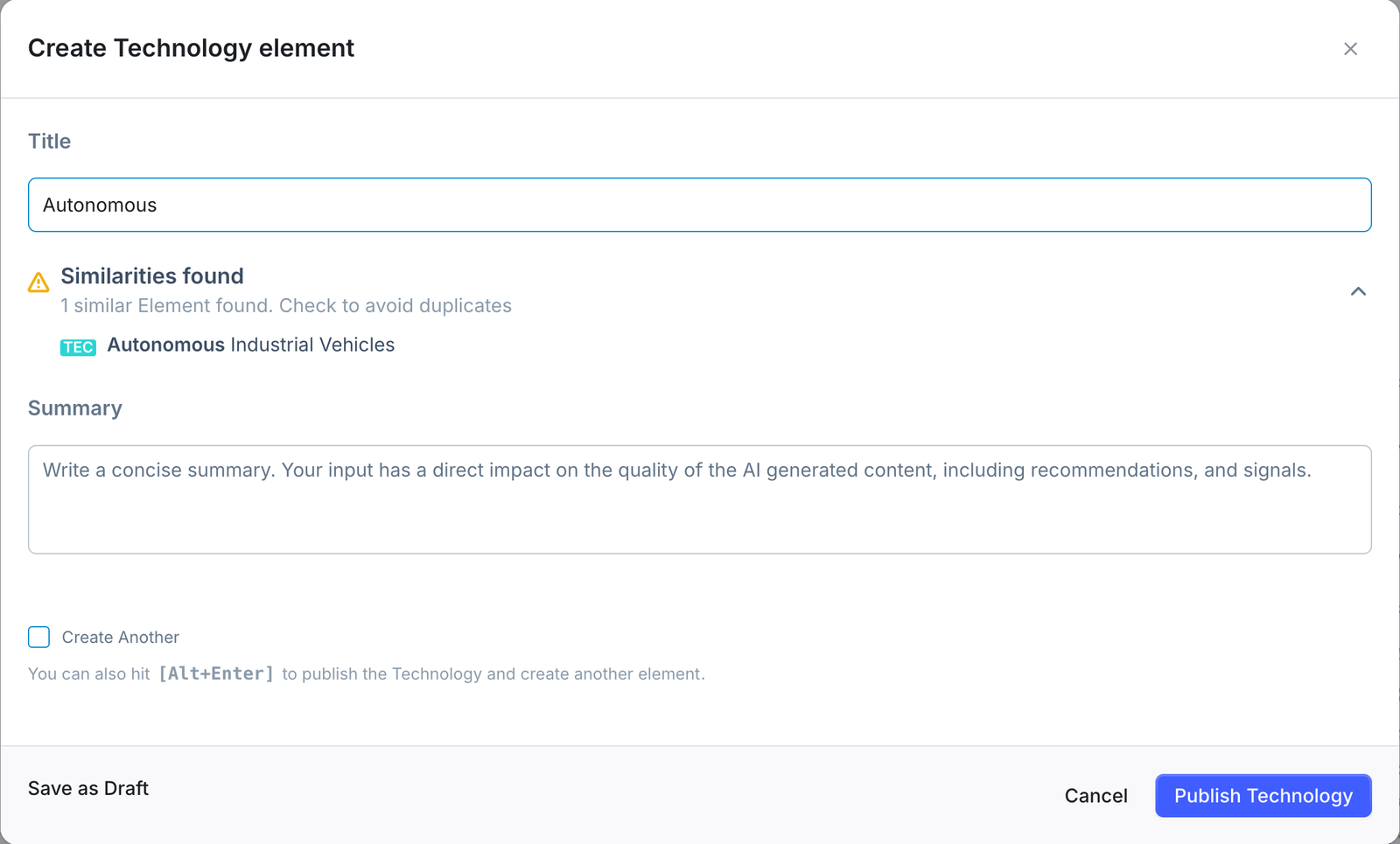
What to do with a match
Hover over a match and click its arrow to open the existing element in a new browser tab. Your create dialog stays open in the first tab.
- If the existing element covers your topic, cancel the new one and add your input to the existing element instead.
- If your topic is different, go back to the dialog and finish creating the element.
The duplicate detector only shows matches. It never blocks you from creating an element. To create one, see Create an element.
Other ways to find duplicates
Prism can look for elements on the same topic, for example with the prompt Find potential duplicates. Prism also checks for existing duplicates before it creates an element for you. See Create an element with Prism.