
A hierarchical dropdown property lets people pick from options that are organized in levels: main options with sub-options below them, such as technology fields and their subfields. Radar views use it to divide a radar into segments and sub-segments.
Options and sub-options
Each option can have sub-options, added with the plus button next to it. The arrow before an option shows or hides its sub-options, and the handle lets you drag options into a new order. The menu of an option lets you rename it, pick its color, or delete it.
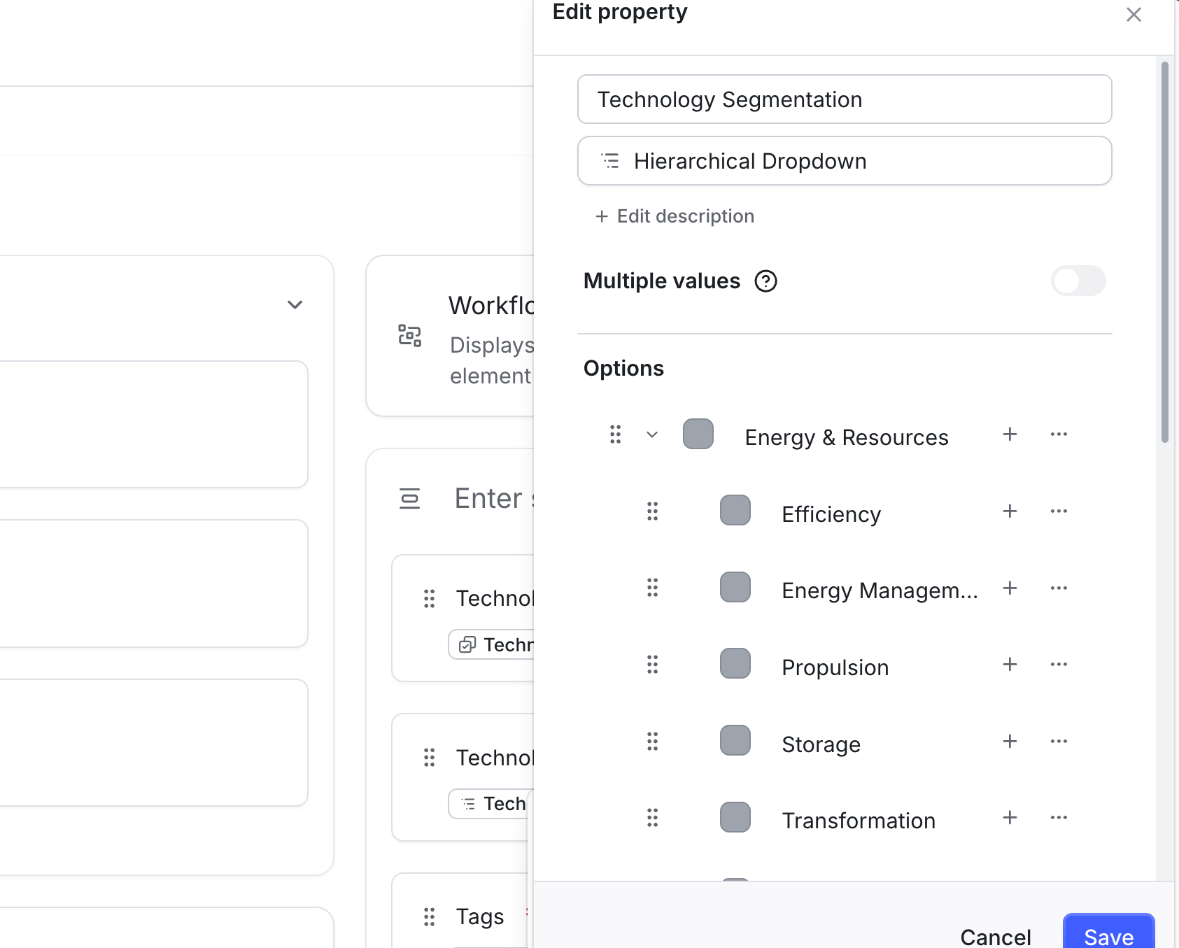
Settings
| Setting | What it does |
|---|---|
| Multiple values | Lets people pick several options. It's off by default. |
| Always require a value | Every element of the element type must have an option picked. |
Radar segments
A radar divides its elements into segments by the options of a property. With a hierarchical dropdown, the main options become segments and their sub-options become sub-segments, which is why trend and technology radars are usually segmented this way. To set up the segments, see Create and manage radar views.
For a single level of options, a dropdown property is enough.