
The Webclipper is a browser tool that saves content from websites as elements in ITONICS. While you browse, you clip pages to your personal clippings, and later decide in which workspace a clip becomes an element that your colleagues can see.
What the Webclipper saves
The Webclipper is a browser extension. In the Chrome Web Store, it's called ITONICS Web Clipper. When you clip a page, it saves the page's title, a short summary, an image, and the page's address as the source. You can change the title before you save the clip.
Where your clips go
Clips go to your personal clippings, not to a workspace, so it doesn't matter which workspace you're in when you clip a page. Your clippings are private: only you see them.
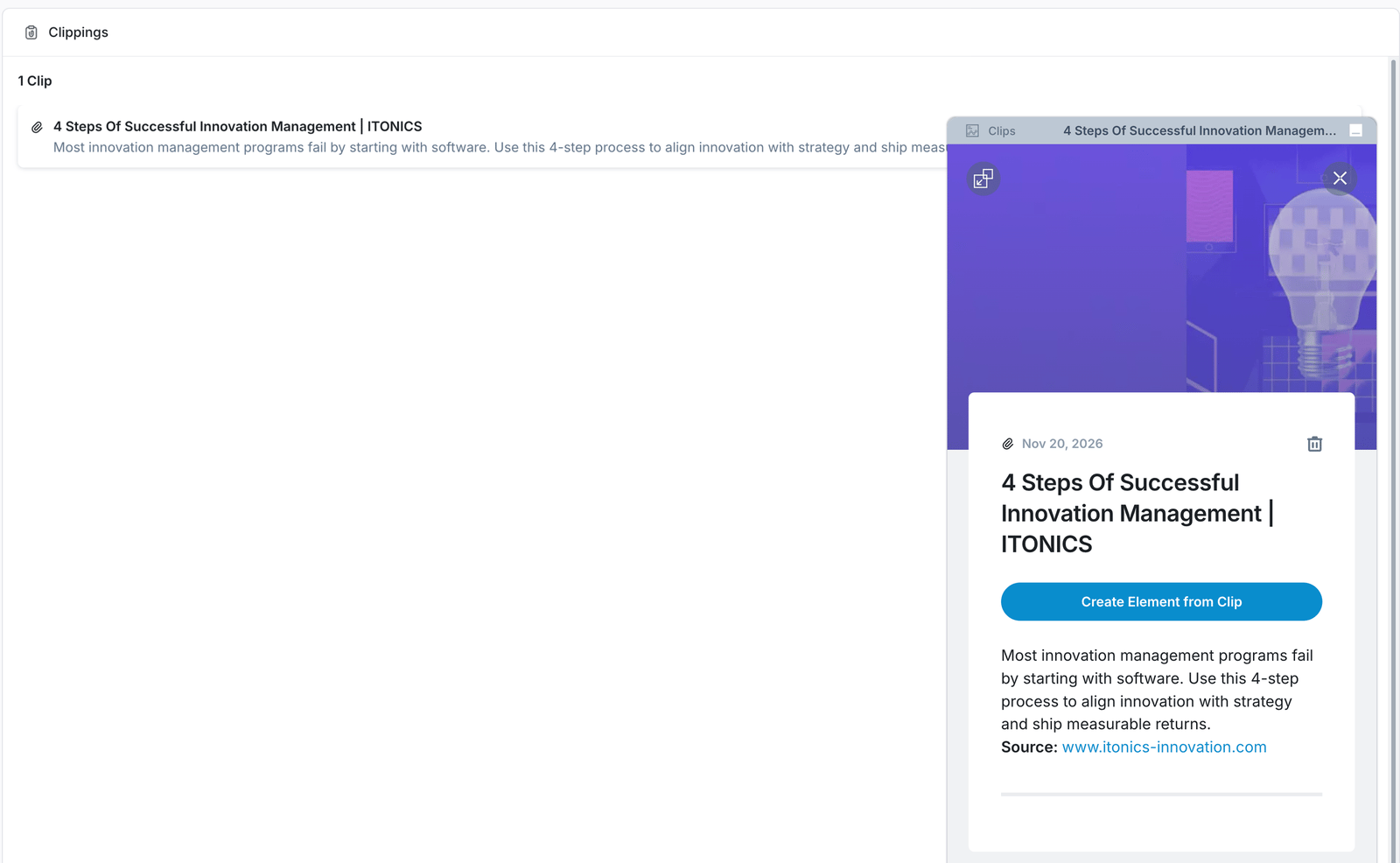
To open your clips, click the workspace name in the top left and select My clips. The Clippings page lists your clips with their summary, the date you clipped them, and the website they come from.
Click a clip to open its details on the right: the image, the title, the summary, and a link to the source. From there, you can create an element from the clip or delete the clip.
From clip to element
To share a clip with your colleagues, create an element from it. You select the element type, and the element is created in the workspace you're in at that moment. ITONICS fills in the title and summary from the clip and adds the clip's header image and source to the element.
You can then edit and enrich the element like any other. For the steps, see Clip content from the web.
A clip's details list the elements created from it, but only those in the workspace you're in. After you switch to another workspace, elements created from the clip in a different workspace aren't listed.
Availability
The Webclipper works in Google Chrome and Microsoft Edge.
Note: The Webclipper isn't available to every organization by default. To try it, contact your account manager at account_manager@itonics-innovation.com.