
An aggregated rating property combines several ratings of an element into one score, such as a project value made of strategic fit and business impact. ITONICS calculates it from the ratings people give, so nobody rates it directly.
Rating criteria
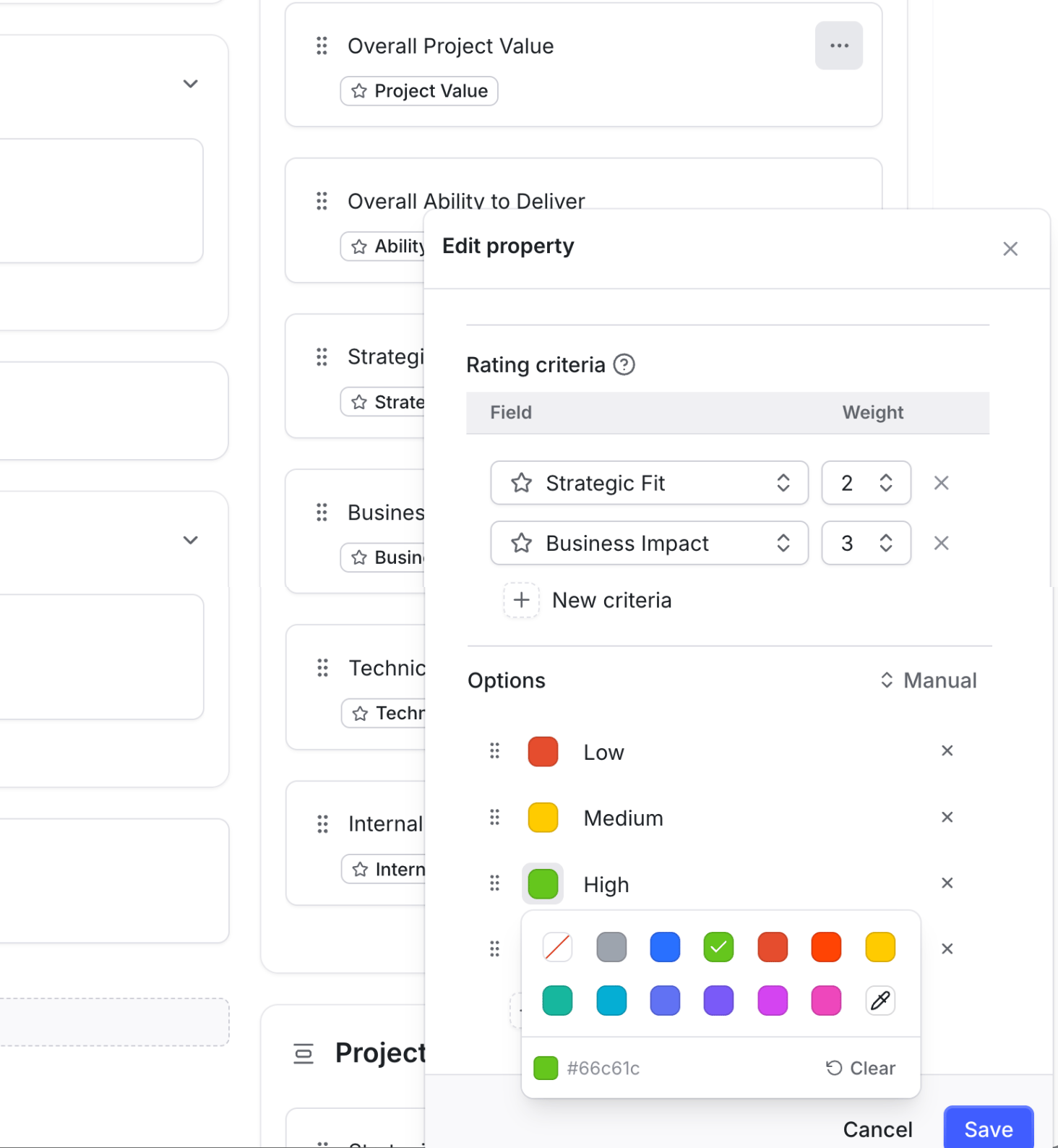
The rating criteria are the ratings the score is made of. Pick at least 2 criteria. For each one, you pick a rating property of the same element type and give it a weight: a criterion with a higher weight counts more in the score. A rating property can be a criterion only once per aggregated rating, and other aggregated ratings can't be criteria.
If you add a criterion to an existing aggregated rating, also add that rating property to the rating block of the element type yourself. If you set up a new rating block starting with the aggregated rating, its criteria are added to the block automatically.
| Setting | What it does |
|---|---|
| Rating criteria | The ratings that make up the score, each with its weight. |
| Options | The values the score shows as, each with a label and a color, like the options of a rating. |
| Invert values order | Visualizations show the options in reverse order by default. |
The score is the average of the criteria's averages, each criterion counted by its weight. It shows on the aggregated rating's own options.
Rating analysis
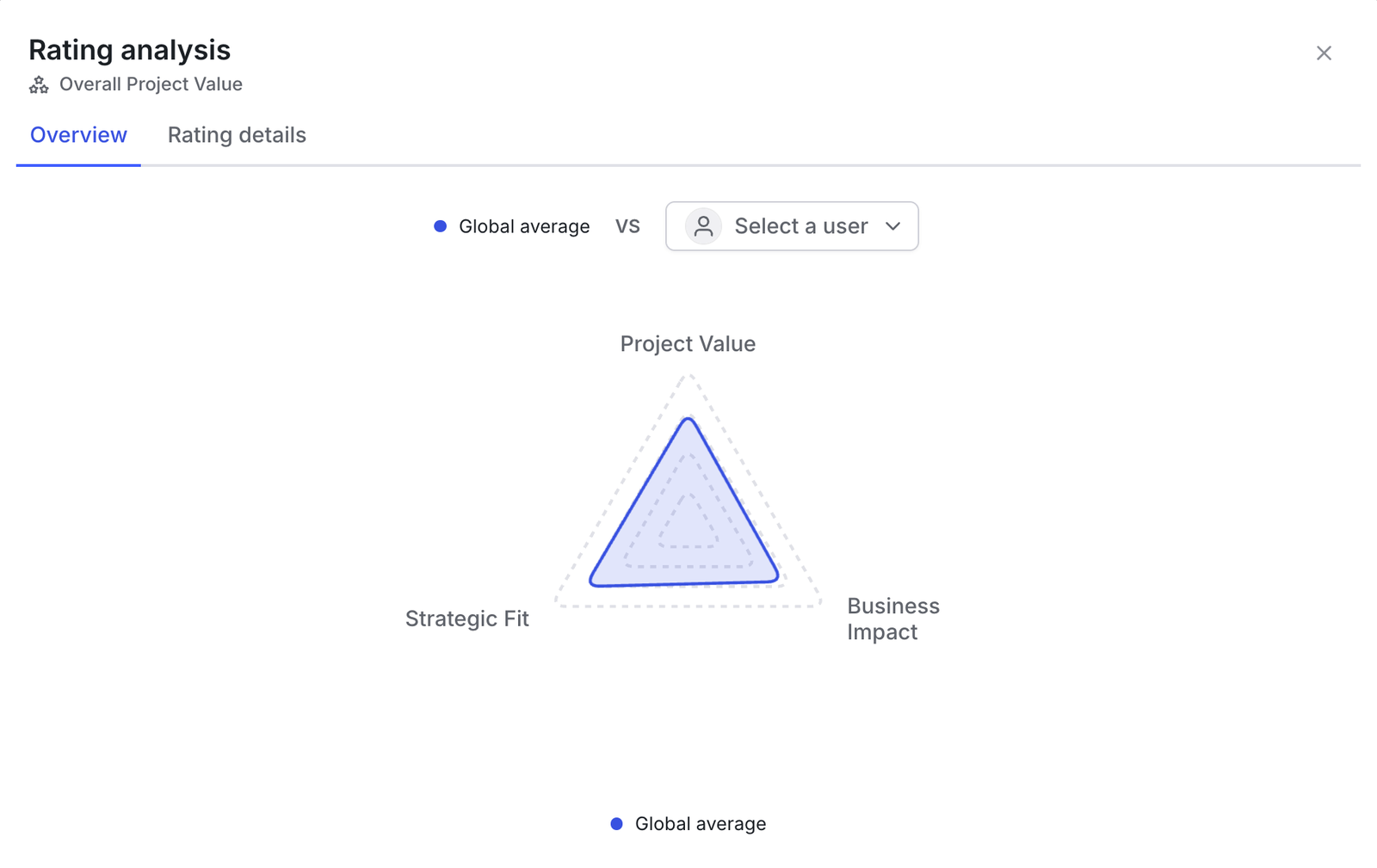
In the rating block of an element, an aggregated rating has an analysis icon next to its name instead of the number of ratings. It opens the rating analysis with two tabs. Overview shows a spider chart of the global average for each criterion, and you can compare it with the ratings of one person.
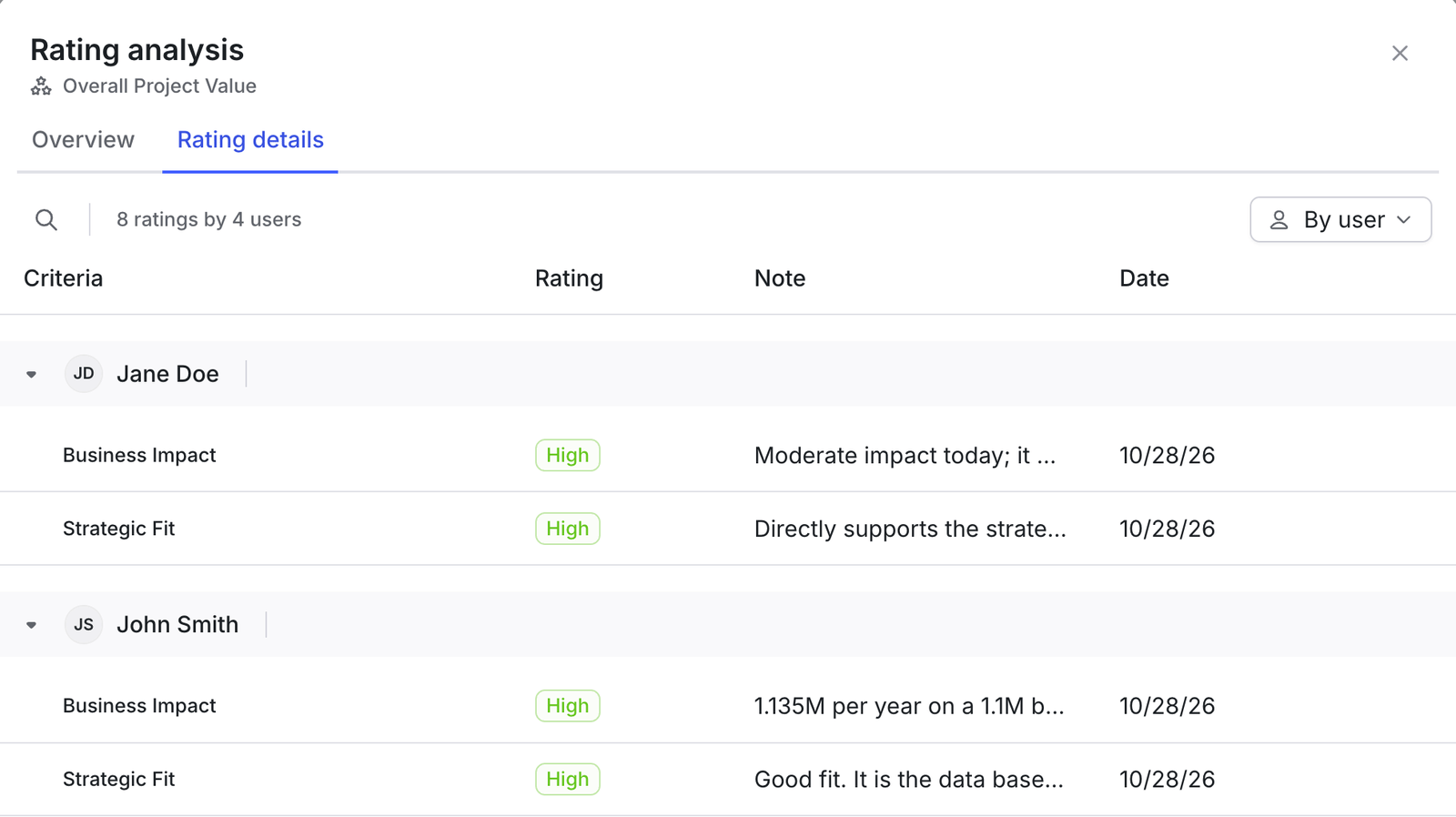
Rating details lists the ratings behind the score, grouped by person, with the criterion, rating, note, and date. See Analyze and manage ratings.
Aggregated ratings and rollups
An aggregated rating combines ratings on the same element. To bring values from related elements onto an element, use a rollup property.