
Let Prism build a radar and place your elements on it: Prism sets up the view, sorts the elements into segments, and rates them for their distance. To learn what Prism can do, see Overview of Prism.
Before you start
You need permission to create views and to edit elements of the element type the radar shows.
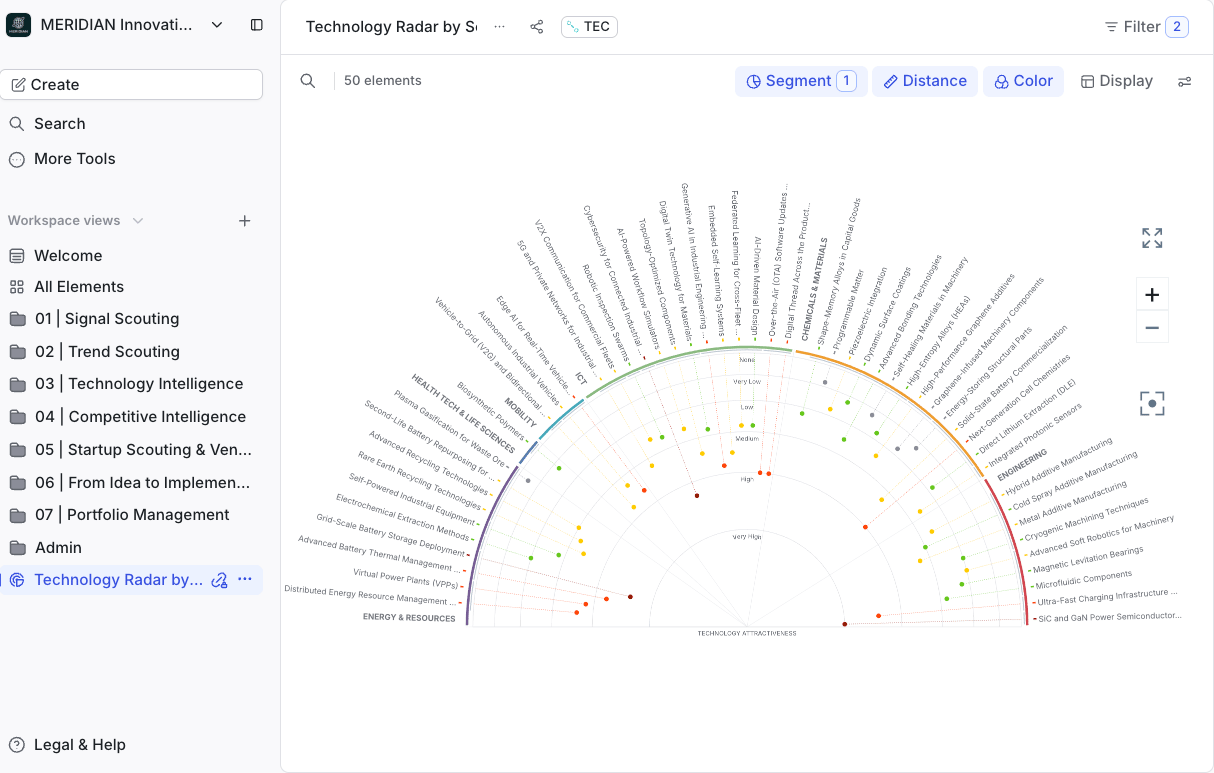
Auto-create a radar
In the sidebar, click the plus icon next to Workspace views, select View, and select Create with Prism.
Describe the radar, including the element type and the property to segment by, and press Enter.
For example: A radar of all technologies, segmented by Technology Segmentation. Prism picks the filters, the segments, and a rating property for the distance, and opens the new radar.
Click the Prism button in the bottom-right corner.
Prism adds the radar as context.
Ask Prism to segment the elements that have no segment yet.
Name the elements and the property, for example: Set the Technology Segmentation for the technologies on this radar that have none. Prism explains each choice and shows a card for each element with the proposed value.
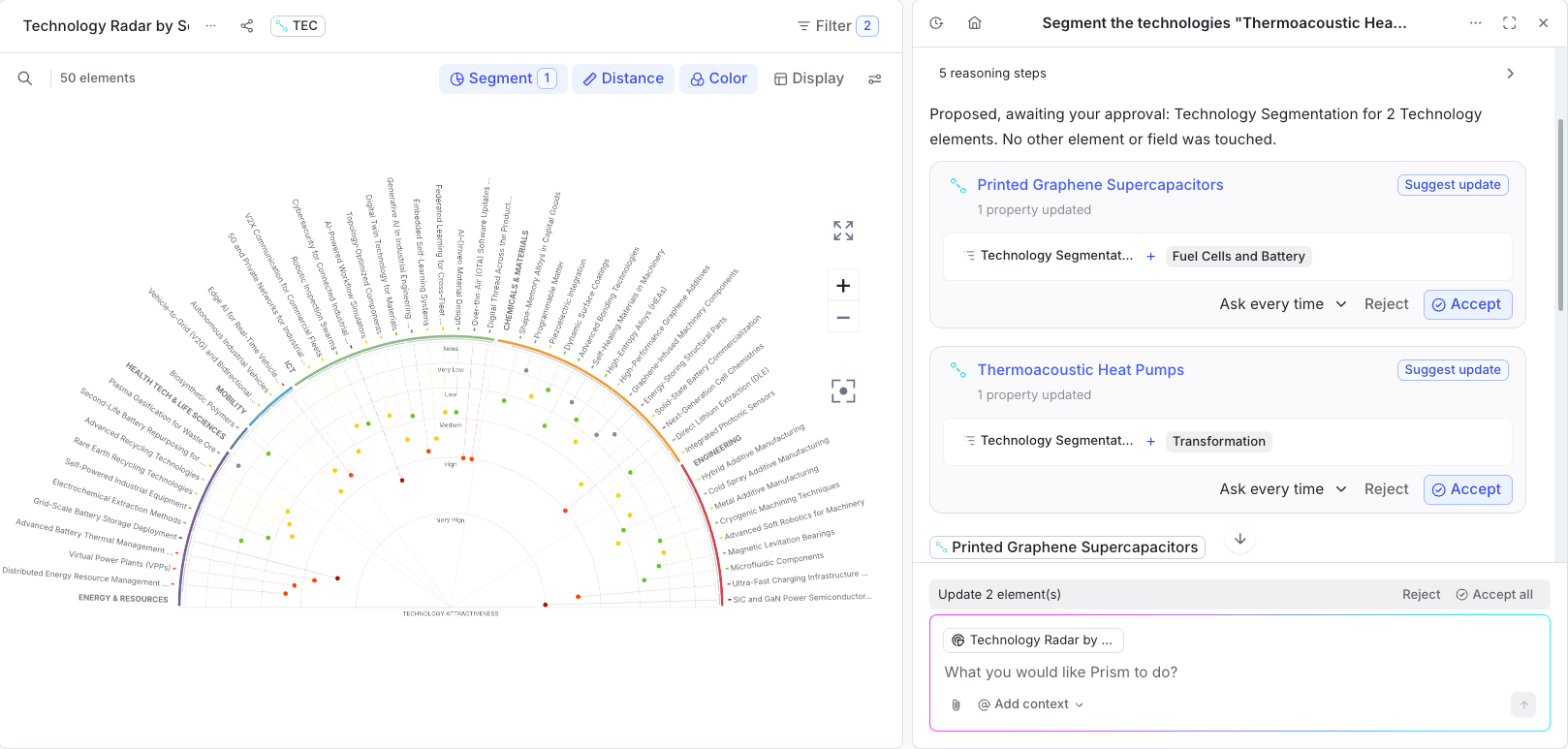
Click Accept on each card, or click Accept all below the chat.
To drop a proposal, click Reject.
Ask Prism to rate the property the radar uses for the distance.
For example: Rate Technology Attractiveness for these technologies. Prism bases its ratings on the elements and on the workspace's master context, and proposes them as cards.
Check the ratings, and accept them.
Prism's ratings are judgment calls. For ratings that drive important decisions, let your experts rate.
Result
The elements appear on the radar in their segments, at the distance of their rating. To change the radar's segments or distance, see Create and manage radar views.