
A numerical rating property lets people rate an element with a number from a range you set, instead of picking a labeled option. It suits criteria that people already think of as numbers, such as a score on a scale. Like all rating properties, it sits in a rating block on the details page and collects a rating from each person.
Settings
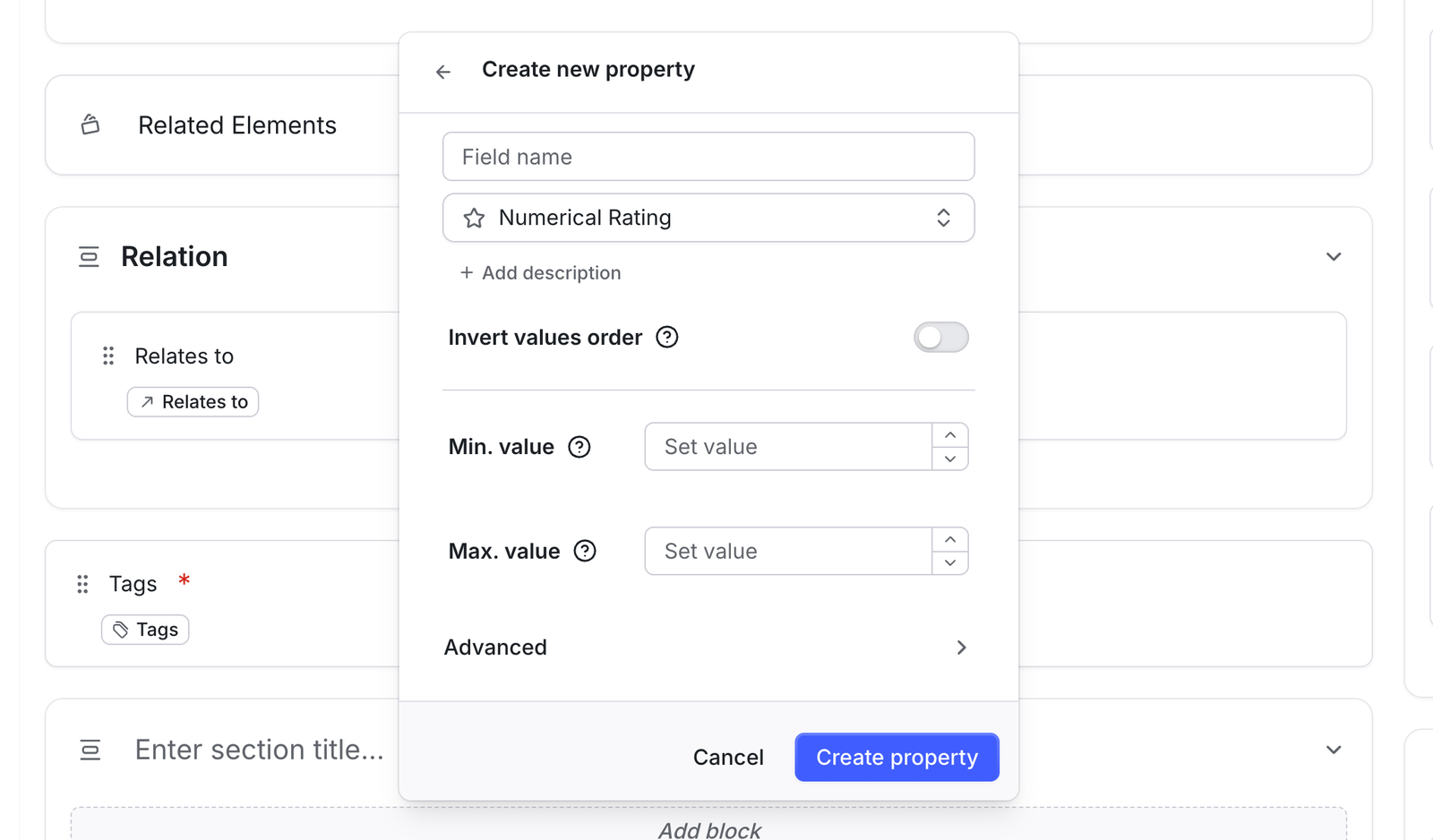
| Setting | What it does |
|---|---|
| Min. value | The lowest number people can pick. |
| Max. value | The highest number people can pick. |
| Invert values order | Visualizations show the range in reverse order by default, for example when a high value is the bad end of the scale. |
| Require explanation when rating | People must add a note to explain their rating. It's under Advanced. |
A numerical rating has no options and no colors: the range replaces them.
You can change the minimum and maximum after people have rated. If you narrow the range, a dialog shows how many elements have ratings outside the new range. Confirming removes those ratings, and aggregated ratings that use the property are recalculated.
Rating with a slider
In the rating block, a numerical rating shows as a slider from the minimum to the maximum value. People pick a number on the slider and can add a note to explain it. Like other ratings, it shows the number of ratings next to its name, and selecting that number lists each rating with its note and date.
Averages
When several people rate an element, ITONICS shows the average with its decimals, both in the rating block and in visualizations. A standard rating, in contrast, shows its average as the option it comes closest to.
Numerical ratings in views
Like other rating properties, a numerical rating can be used in views and filters:
- Matrix views can use it for an axis. See Set up a matrix view.
- Radar views can use it, for example for color or size. See Set up a radar view.
- Board views can use it, for example for columns or swimlanes. See Set up a board view.
- You can filter elements by it.