
A percentage property stores a value in percent, such as progress, adoption, or a margin. ITONICS shows the value with a percent sign, so you don't need a unit label.
Percentage settings
When you create or edit a percentage property, you set how its values look. A preview shows the result.
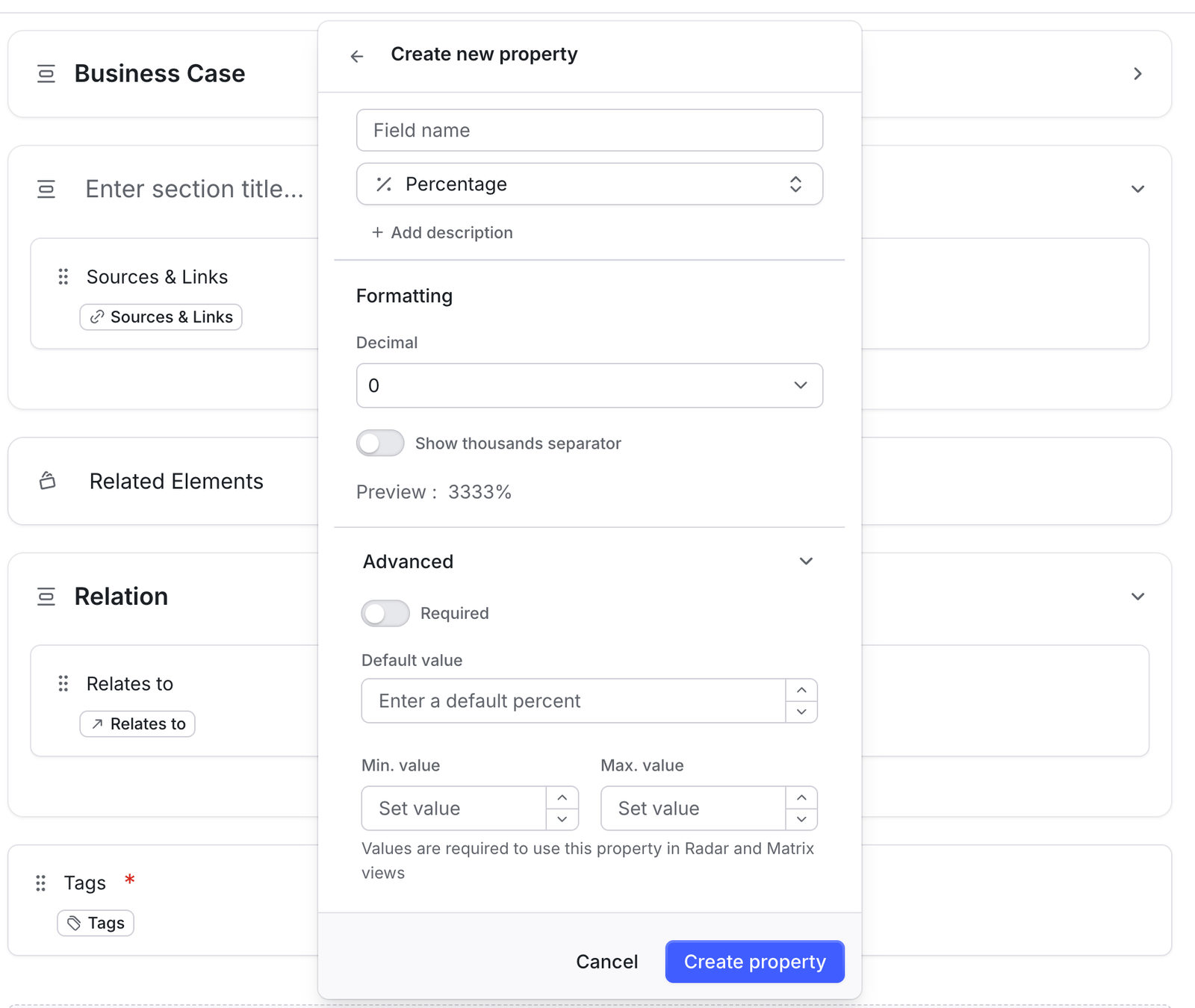
| Setting | What it does |
|---|---|
| Decimal | How many digits are shown after the decimal separator. |
| Show thousands separator | Groups the digits of large values in thousands. |
Under Advanced, you can make a value required and set a default value and a range, as for a number property. A range is required to use the property in radar and matrix views. To create a property, see Create and manage properties.
Values in formulas
A percentage is stored as the number you see, so 90% is stored as 90. When a formula uses the property, ITONICS converts the value to its decimal form, 0.9.
From a number property to a percentage property
Rates are sometimes stored in number properties with % as the unit label. In that case, the property's settings show a hint with a link to change its type to percentage.
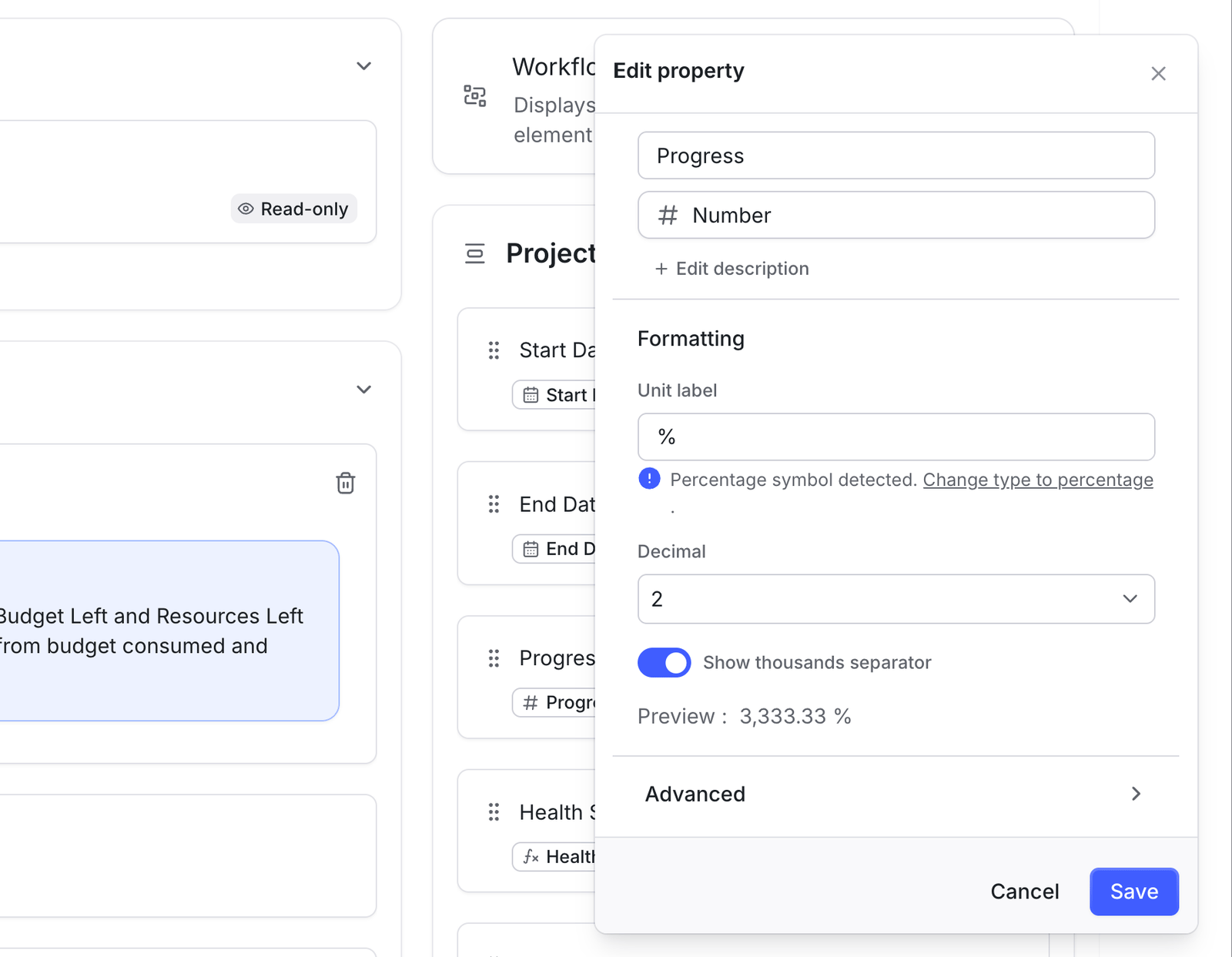
A percentage property can also be converted back into a number or currency property, even after people have entered values. The conversion is blocked while workflow criteria, formulas, rollups, or lifecycles use the property.