
A role is a set of permissions given to a user. Organization roles apply to the whole organization, workspace roles to one workspace.
How roles and permissions work
A permission is the right to do a specific action, such as exporting elements as XLS. Permissions are granted to roles.
Each workspace has its own roles and its own permissions. A user can have different roles in different workspaces, and up to 5 roles in one workspace. The permissions of all their roles add up: if one role lets a user create elements and another lets them rate, the user can do both.
Every workspace starts with five roles: Workspace Admin, Moderator, Evaluator, Scout, and Viewer. Workspace Admins can add their own roles and change which roles have which permission. See Manage workspace roles and Manage workspace permissions.
ITONICS shows users only what their permissions allow. For example, element types a user can't view are left out of their views, searches, and filters.
Default and element type permissions
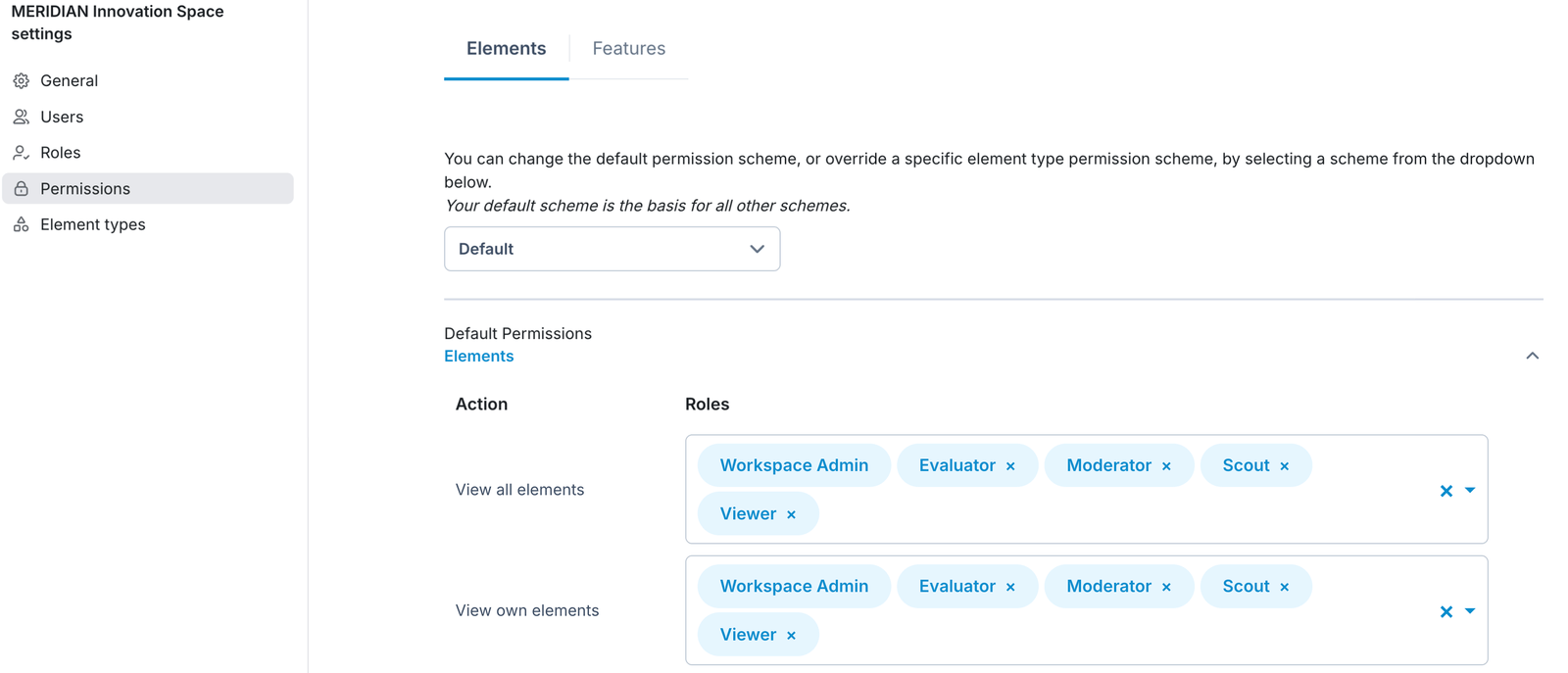
The default permissions apply to all element types of a workspace. An element type can also have its own permissions, which then replace the defaults for its elements. Permissions belong to one workspace: when you copy an element type into another workspace, its permissions aren't copied.
The Workspace Admin role always has every permission.
What only Workspace Admins can do
Some workspace settings have no permission of their own. Only Workspace Admins can:
- Add users to the workspace and assign or change their roles.
- Change roles and permissions.
- Configure element types.
- Change the workspace's name, description, icon, and access setting.
- Set up PowerPoint export templates.
Permissions for your own elements
Some permissions only cover elements you created, such as Edit own elements and Delete own elements. While an element you created is still a draft, you have full control over it, whatever your role.
Publishing, archiving, and moving an element back to draft have their own permissions, separate from editing. That way, you can set up reviewer roles that approve elements before they're published.
Element permissions by default
These permissions are on the Elements tab of the workspace permissions. A workspace can have different settings.
| Permission | Roles by default |
|---|---|
| View all elements | All roles |
| View own elements | All roles |
| View all draft elements | All roles |
| View all archived elements | All roles |
| Create draft elements | Workspace Admin, Evaluator, Moderator, Scout |
| Create element | Workspace Admin, Evaluator, Moderator, Scout |
| Edit all elements | Workspace Admin, Moderator |
| Edit own elements | All roles |
| Delete all elements | Workspace Admin, Moderator |
| Delete own elements | All roles |
| View all ratings | All roles |
| Rate | Workspace Admin, Evaluator, Moderator |
| Edit rating | Workspace Admin, Evaluator, Moderator |
| Delete rating | Workspace Admin, Evaluator, Moderator |
| Manage all ratings | Workspace Admin |
| View rating analysis | Workspace Admin |
| View all comments | All roles |
| Comment | Workspace Admin, Evaluator, Moderator, Scout |
| Manage all comments | Workspace Admin, Moderator |
| Publish element | Workspace Admin, Moderator |
| Publish own elements | Workspace Admin, Moderator |
| Archive element | Workspace Admin, Moderator |
| Draft element | Workspace Admin, Moderator |
Feature permissions by default
These permissions are on the Features tab. View Explorer covers the elements and views of the workspace, which older articles call the Explorer. "All roles" means the five roles every workspace starts with. "Manage" covers creating, viewing, editing, and deleting.
| Permission | Roles by default |
|---|---|
| View Explorer | All roles |
| Manage public collections | Workspace Admin |
| Create public view | Workspace Admin, Moderator |
| Edit all public views | Workspace Admin, Moderator |
| Delete all public views | Workspace Admin, Moderator |
| Manage subscribed public views | Workspace Admin, Moderator |
| View Radar | All roles |
| View Matrix | All roles |
| View Board | All roles |
| View Network Graph | All roles |
| View all Roadmaps | All roles |
| Create Roadmap | Workspace Admin, Moderator |
| Edit all Roadmaps | Workspace Admin, Moderator |
| Edit Milestone and Activity types | Workspace Admin, Moderator |
| Configure Roadmap layer | Workspace Admin, Moderator |
| Delete all Roadmaps | Workspace Admin, Moderator |
| Excel Import | Workspace Admin |
| Excel Export | Workspace Admin, Moderator |
| View External Reports | All roles |
| Manage Sites | Workspace Admin |
Organization roles
Besides the workspace roles, every user has an organization role. Members can work in the workspaces they have access to.
Application Admins can also open the organization settings, create and manage all workspaces, and manage all users. What a user can do inside a workspace still depends on their workspace roles. See Change a user's organization role.