
Tell ITONICS about a bug, share your ideas for the product, or report content you believe is illegal. For other questions, see Contact support.
Report a bug
Note what happened.
Write down the steps that led to the problem, what you expected, and what happened instead. Copy the links to the pages it concerns, and take a screenshot if it helps.
Email your notes to
support@itonics.io.ITONICS Support replies by email.
For other reports, contact ITONICS as shown in the table.
| Report | Where to send it |
|---|---|
| Feedback or feature request | ITONICS welcomes your feedback, such as use cases you'd like to address or features you'd like to see. Discuss feature requests with your Customer Success contact or your account manager at account_manager@itonics-innovation.com. |
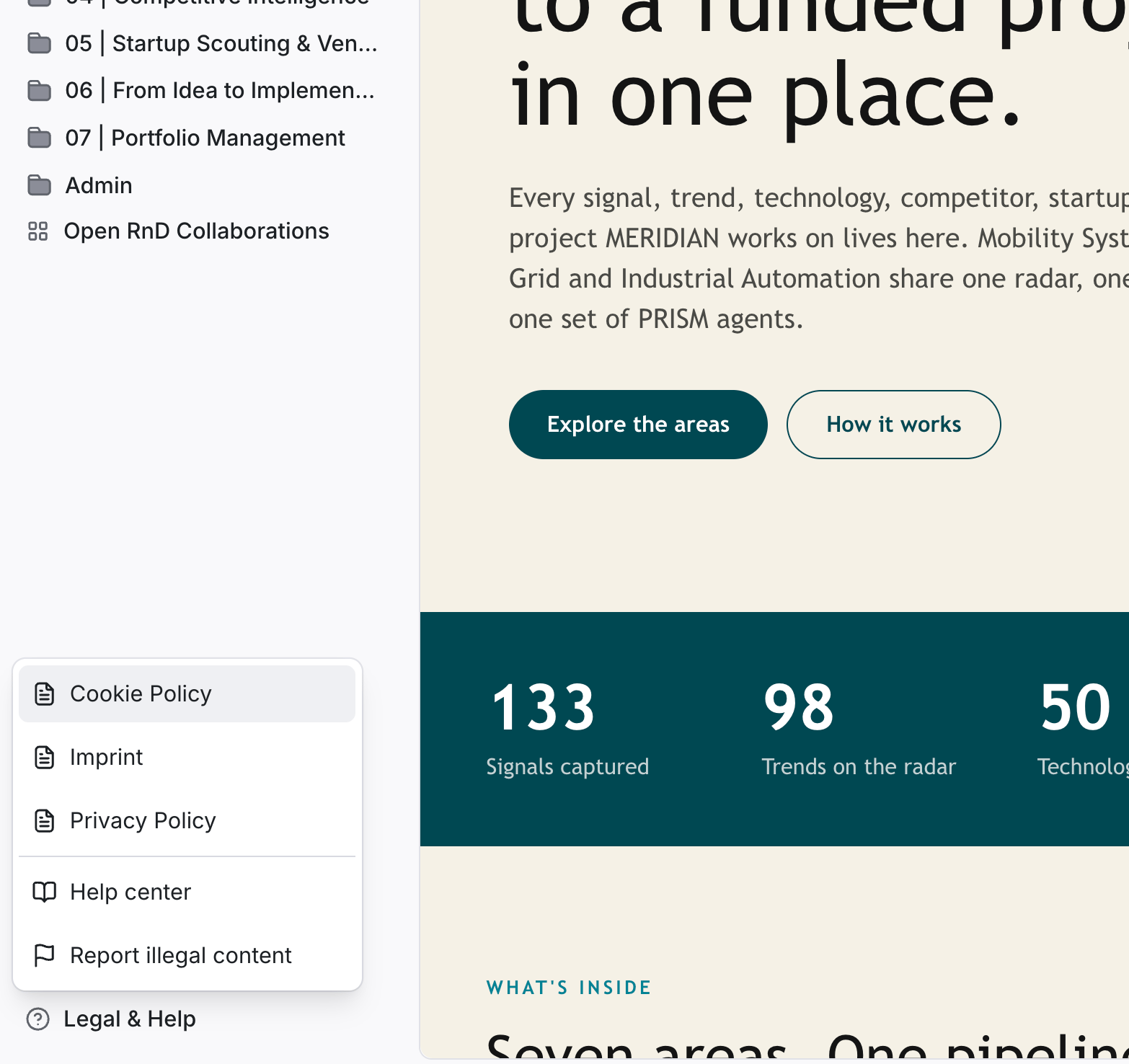
| Illegal content | Go to Legal & Help > Report illegal content. See below. |
To adhere to the Digital Services Act (DSA), Legal & Help offers an option to report illegal content. When you select Report illegal content, a form opens on the ITONICS website in another tab.
In the form, give the report a short title, explain why you believe the content is illegal, and add the exact address (URL), element ID, or another reference to where it appears. You can attach a screenshot as a PNG, JPG, or PDF file of up to 10 MB. Make sure your information is accurate and complete.
You can report anonymously. If you add your email address, ITONICS confirms that it received your report and can contact you if needed.
Warning: Don't upload the illegal content itself, for example images or videos showing abusive content; share its URL instead. A screenshot of the surrounding page is fine if it doesn't show the illegal content.