
A property is a field on an element type that stores one piece of information about each element, such as a date, a rating, or a relation. Because all elements of a type share the same properties, you can filter, compare, and rate them consistently.
Properties on the details page
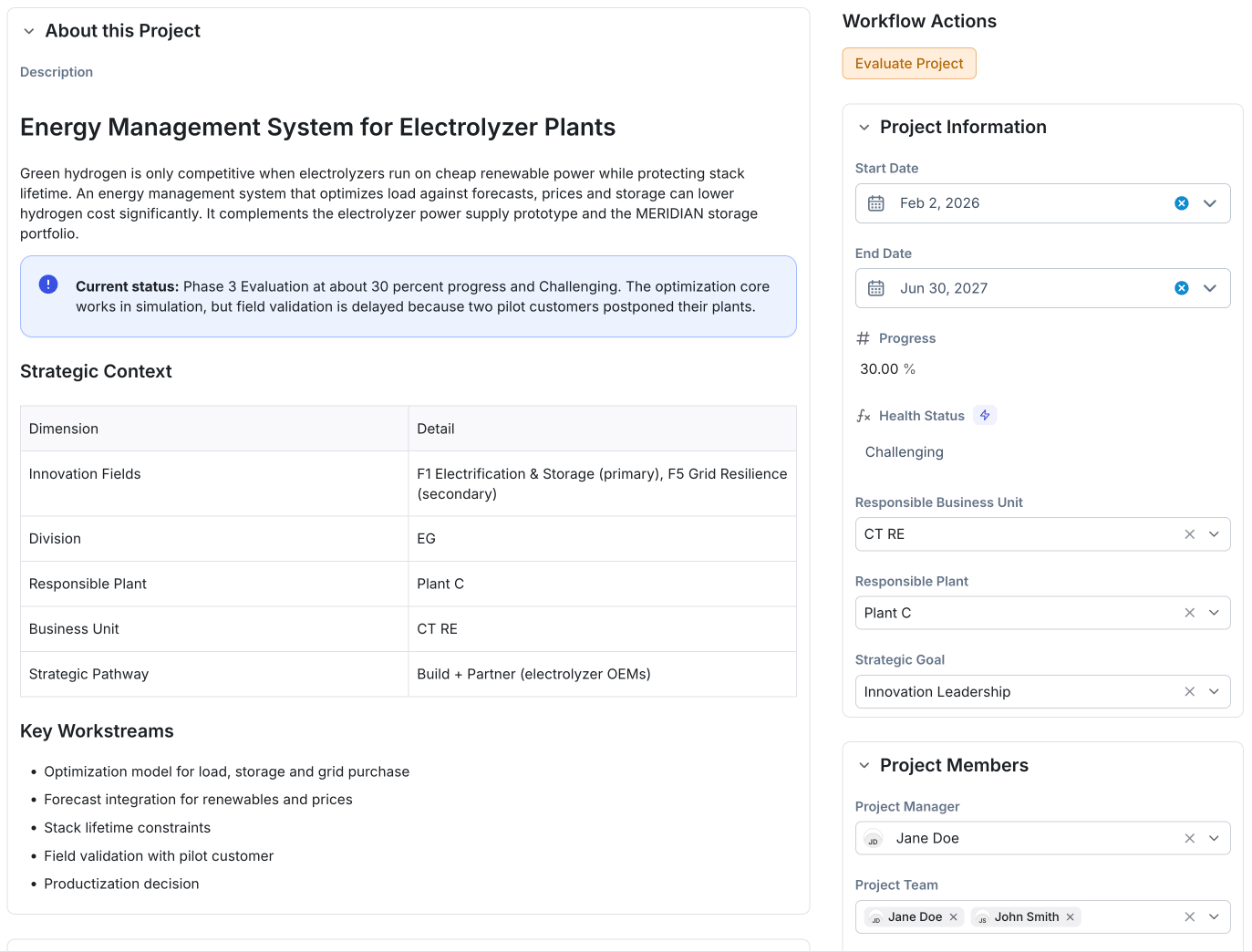
On an element's details page, the properties sit in blocks, for example a description in the main area and project information or project members in the sidebar. Each property shows its value in a form that fits its type, such as a date picker, a number, or a list of users. A property can be required, so every element of the type must have a value for it.
Properties and element types
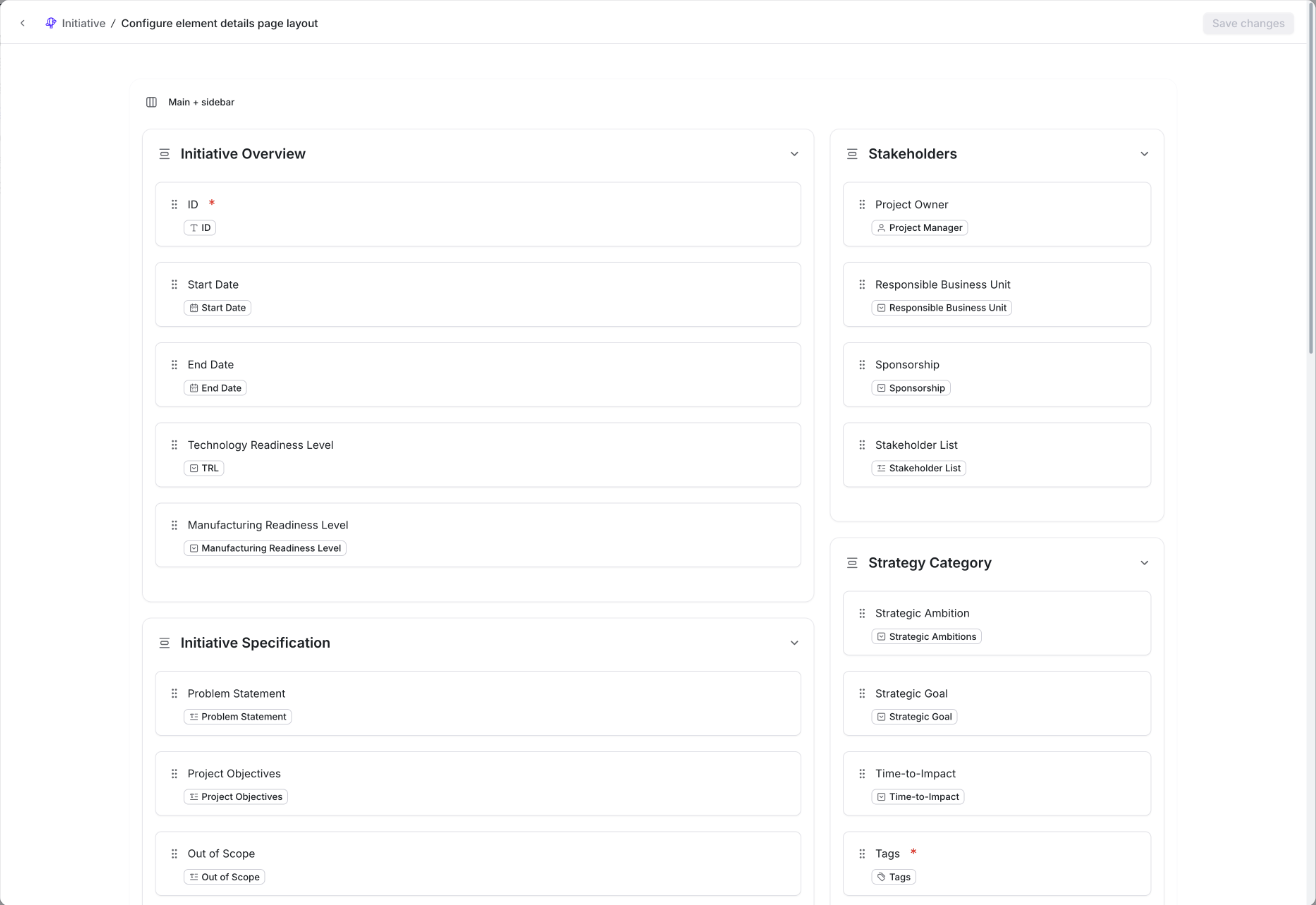
Each element type decides which properties its elements have and how they're arranged on the details page. To learn how element types work, see Understanding element types.
Properties belong to the workspace, so several element types can use the same property. Removing a property from an element type keeps its values. Deleting a property removes it and its values from the whole workspace. To add, change, or delete properties, see Create and manage properties.
To fill properties for many elements at once, see Import data via Excel.
Property types
Each property has a type that decides what it stores and how people fill it in, for example text, a date, a number, a dropdown, a user, a rating, or a relation to other elements. For the full list, see Property types.
Tags aren't a property type. A tag is a free keyword on an element. Unlike dropdown values, tags aren't limited to a predefined list, and they link elements in network graphs.