
Prism answers with the context of your work in mind: what you have open in ITONICS and the background your workspace gives it. The master context is a description of your organization and goals that Prism uses as background for its answers. In the workspace, it appears as Prism context.
Context from what you have open
When you start a chat, Prism adds the view or element you have open as context. It shows the context as a chip above the input field, for example the title of the element you're looking at. Prism then reads requests such as "summarize this element" or "rate these ideas" in relation to that context.
Each message keeps the context it was sent with, so you can see later what Prism worked from. On a page, Prism adds no context.
Add or remove context
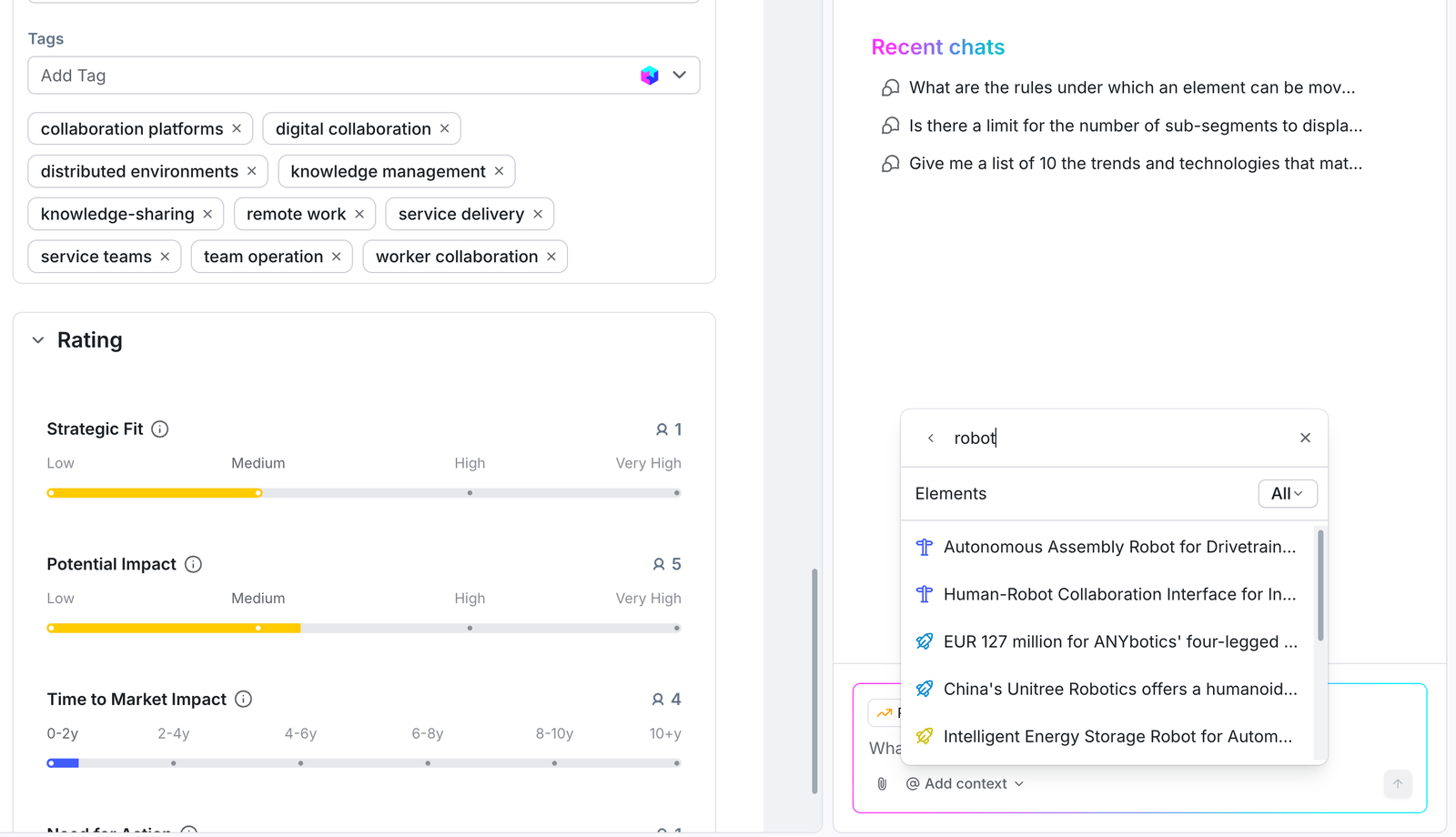
With Add context, you can add more Views or Elements to a message. You find them by title, and you can filter elements by element type. Each one appears as another chip, and you can remove a chip you don't need.
The master context
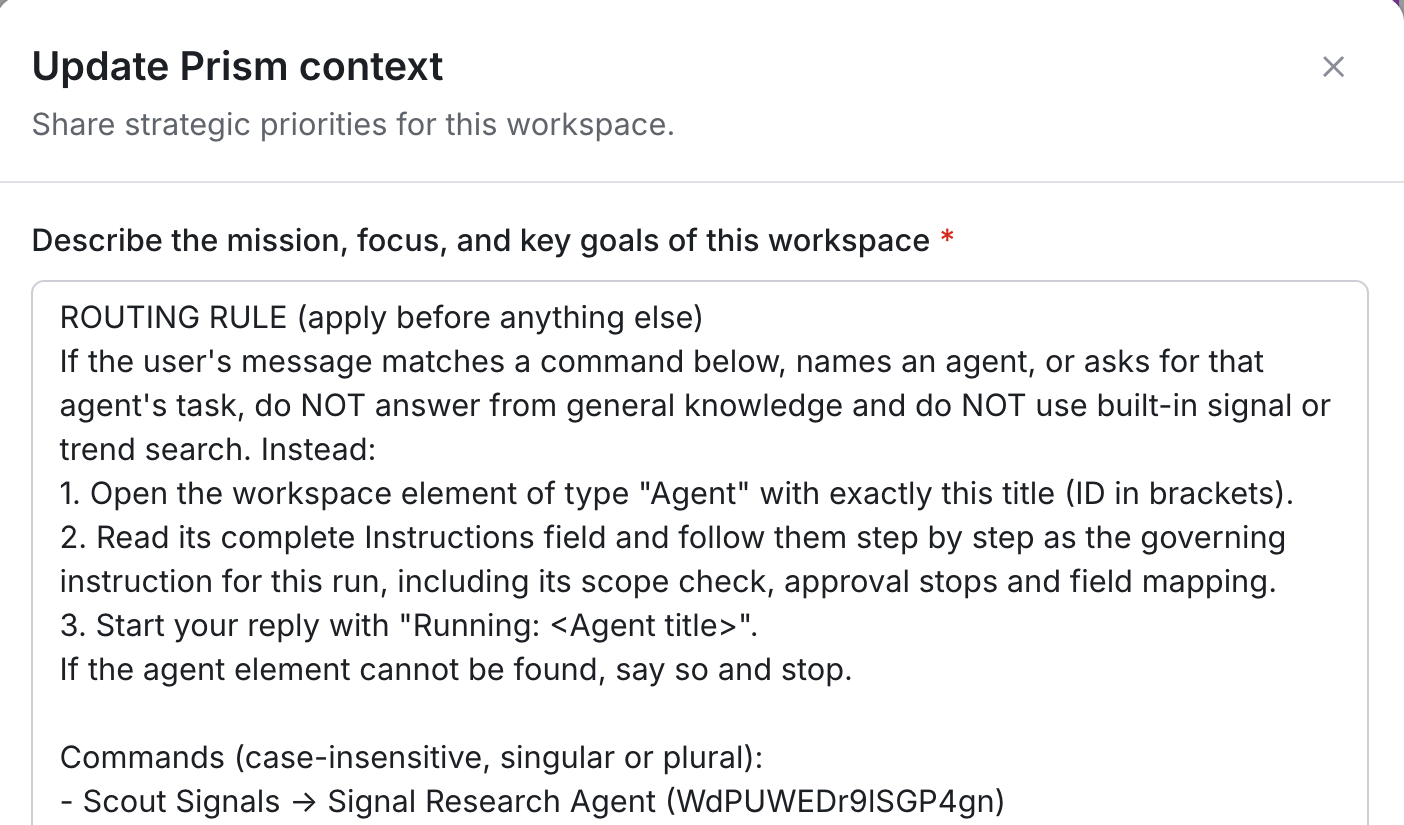
The master context applies to every chat in a workspace. Instead of repeating your mission, priorities, or constraints in every request, you write them down once, and Prism reads every request in their light.
A good master context makes Prism's answers:
- Consistent: aligned with your goals across chats.
- Efficient: you don't repeat the same instructions.
- Relevant: in line with your strategy, your voice, and your users' needs.
- Practical: proposals fit your use cases and what's feasible for you.
The master context is set per workspace, so workspaces with different goals should have different master contexts. Reference documents, such as a strategy deck or a market report, and an element type that describes your strategy add to the text.
Files in the master context are background for every chat, while files you attach to a chat only inform that chat. A Workspace Admin sets it up. See Set up the master context.
What a good master context covers
Write the master context as answers to these questions:
- Identity: Who are you as a company? Which values, principles, or cultural traits guide your decisions?
- Strategic goals: What outcomes do you work toward? Which metrics matter most?
- Priorities and challenges: Which problems do you want to solve? Which trade-offs do you weigh, such as speed against safety or cost against innovation?
- Technologies and capabilities: Which platforms, tools, or technologies define your domain? Where do you innovate, and where do you rely on partners?
- Users and markets: Who are your users or customers? What do they expect in terms of experience, reliability, and trust?
- Constraints: Which regulations, compliance rules, safety, sustainability, or ethical standards always apply?
- Use cases: What should Prism do when you ask for each use case? Describe each one as precisely as you can.
A precise use case changes how Prism works. For example, if ideas move to the next stage when their expert rating is at least high, write that rule into the master context and tell Prism to stick to it. Prism then applies the rule whenever you ask it to advance ideas. In the same way, describe what Prism should include when it creates elements for you.
Improve the master context over time
A first version is quick to write, but it's rarely perfect. Your use cases and your company's needs shape what works, so only your team can refine it.
- Ask colleagues to tell the Workspace Admin when a request gave a particularly good or poor answer.
- Turn what works into instructions for the use case it belongs to.
- Keep the master context focused: Prism reads it at the start of every chat, so the longer it gets, the less reliably Prism follows a single instruction in it.
How Prism finds elements
Prism decides for each request how to search your workspace:
- Clear conditions, such as a status, a date, a user, a rating, or a dropdown value, lead to a filtered search. For example: "Show ideas in draft status."
- Requests without conditions lead to a search by meaning across titles, summaries, and descriptions. For example: "Find projects that talk about battery recycling."
- Requests with both are combined: Prism searches by meaning and then applies the conditions. For example: "Find projects about battery recycling that are in draft status."