
Let Prism write new text or rewrite selected text in a rich text property. To learn about rich text properties, see Rich text properties.
Before you start
You need permission to edit the element.
Write or rewrite text with Prism
Write new text
On the element's details page, click into the rich text property.
The editor and its toolbar open.
Click Ask Prism in the toolbar.
Describe what Prism should write, and press Enter.
For example: Write a short overview of the current situation of this trend as three bullet points.
Check the proposal.
To change it, enter a follow-up request below the proposal, or click the regenerate icon for another version.
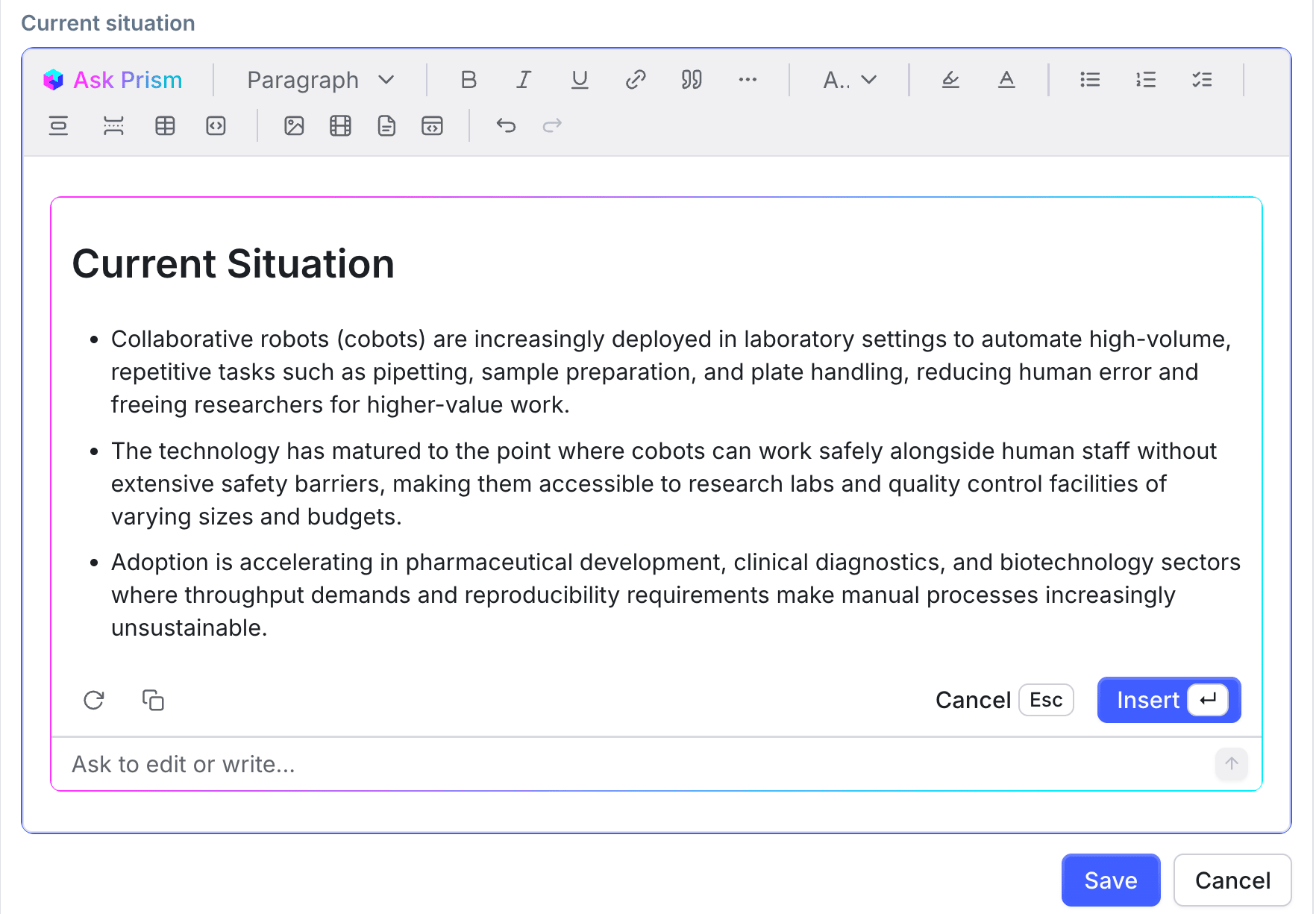
Click Insert.
Then click Save to keep the text in the property.
Rewrite selected text
In the rich text property, select the text you want to change.
A small toolbar appears above the selection.
Click Ask Prism.
Select an action, or enter your own request and press Enter.
The actions are Fix spelling, Make longer, Make shorter, Complete sentence..., Change tone, for example to professional or casual, and Translate into one of 10 languages.
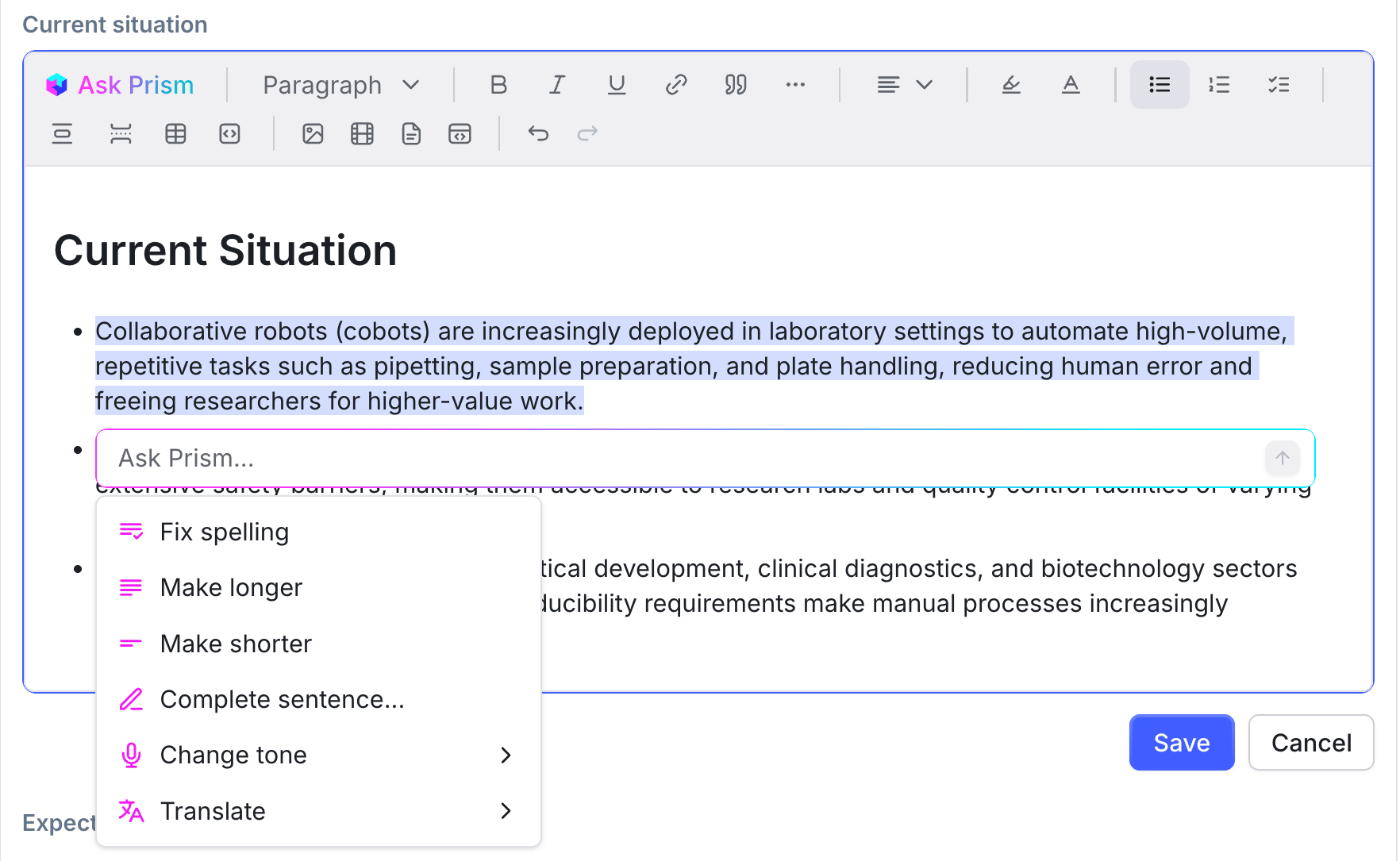
Click Replace to swap the selected text, or Insert below to keep both.
Click Save.
Result
The property shows the text from Prism, formatted with headings, lists, or other styles where Prism used them. You can edit it like any other text.