
Export an element as PowerPoint slides in the template set up for its element type. For the other ways to export, see Overview of exports.
Before you start
The export is only available for element types with a PowerPoint template. An admin sets it up, see Set up PPT export templates. You can export any element you can view.
Export an element as PowerPoint
Open the element's details page.
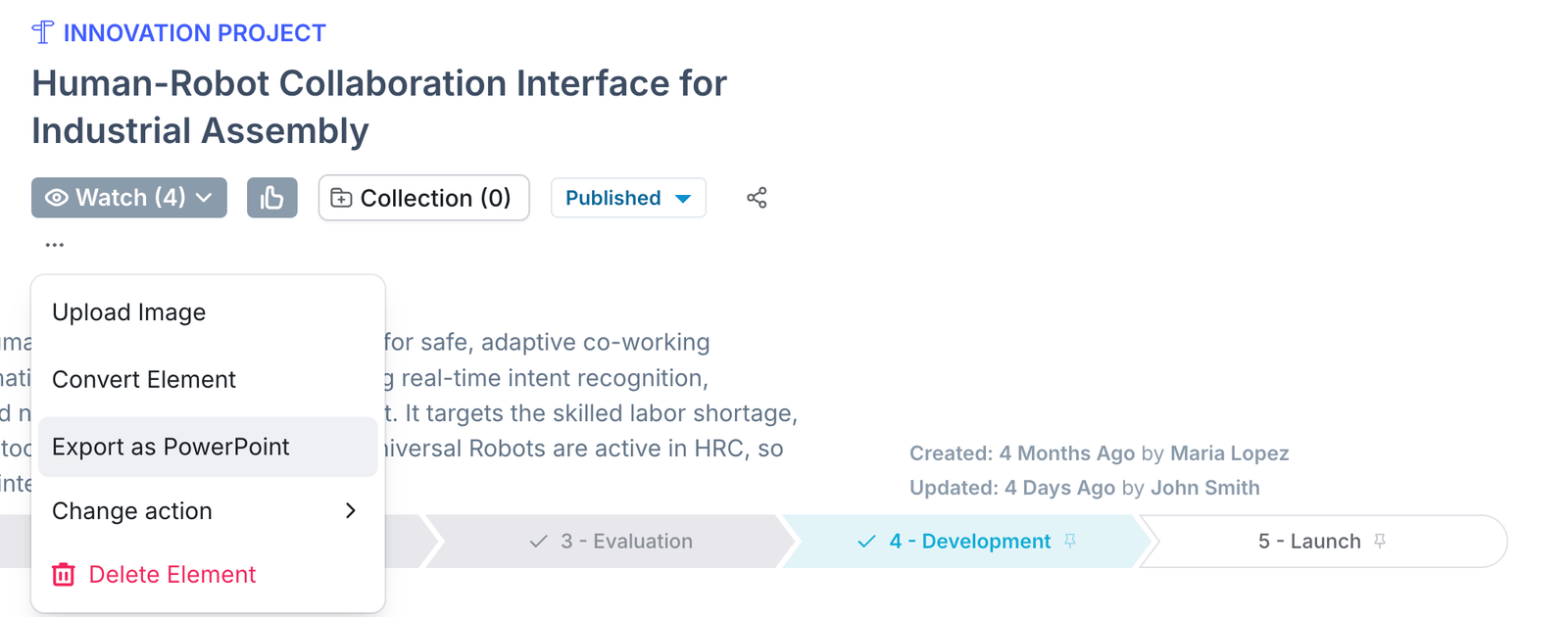
Click … in the header and select Export as PowerPoint.
The download starts right away.
Note: Each export holds one element, and element types with workflow blueprints aren't supported, including the current phase. Rich text loses its formatting, hierarchical dropdowns show only their lowest level, and relations and attachments aren't exported.
Result
You get a .pptx file named after the element, with the template's slides filled with its values. Numbers keep their format and unit, and ratings and dropdowns show their labels.