
An element is a single item in ITONICS, such as one trend, idea, or project. Each element belongs to one element type and holds values for its properties.
Elements and element types
The element type decides which properties an element has and how its details page is laid out. Elements of the same type share the same structure, so you can compare them side by side. To learn how element types work, see Understanding element types.
Publication status
Every element has a publication status. You can change it, for example, on the element's details page.
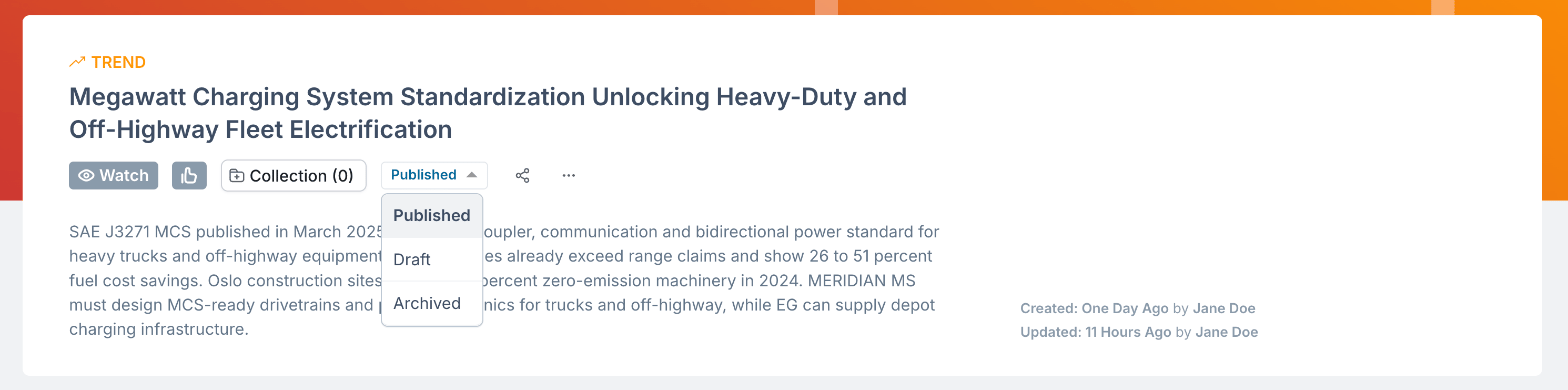
| Status | What it means |
|---|---|
| Published | The element is available to everyone who can see its element type. |
| Draft | The element is still being prepared and isn't available to others yet. |
| Archived | The element is kept but no longer in active use. To archive or delete elements, see Archive and delete elements. |
Where elements appear
An element lives once in its workspace and can appear in many views at the same time, for example as a card in a grid or a point on a radar. When someone changes the element, for example its status or a property value, every view shows the change.
The details page
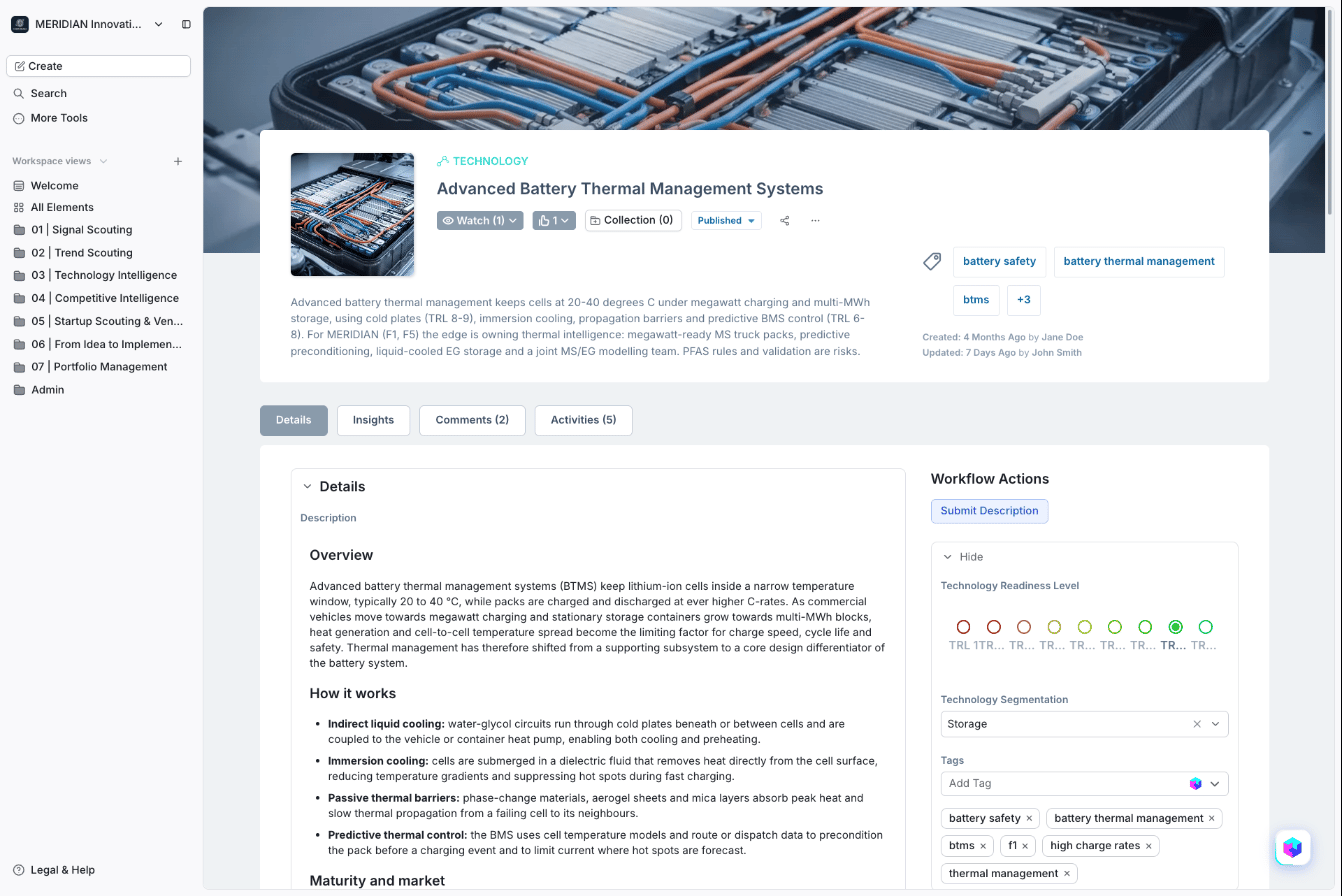
Each element has its own details page. It shows the element's title, description, and tags, and tabs such as Details, Insights, and Comments. The Details tab holds the element's property values. To learn what the details page contains, see Element structure.
Working with elements
- To add an element, see Create an element.
- A workflow can guide an element through defined steps. See Apply a workflow to an element.
- An Insights agent can research an element for you. See View and refresh Insights on an element.